<p>XGC SafeZone V2 — <a href="https://xgc-development-2.gitbook.io/xgc-development-docs" target="_blank" rel="noreferrer noopener">Documentation</a></p><div class="hero"><div class="badge"><div class="badge-dot"><br /></div>XGC Development</div><h1>XGC_SafeZone</h1><p>A fully in-game admin panel to create, edit and manage safe zones — with Circle and PolyZone support, weapon blocking, Discord logging and more.</p><div class="hero-pills"><div class="pill green">v2.2.0</div><p><br /></p><div class="pill blue">[qbox] / [QBCore] / [ESX] / Standalone</div><div class="pill amber">PolyZone Support</div><div class="pill purple">No Config Editing Required</div><p><br /></p><p><img src="https://dunb17ur4ymx4.cloudfront.net/wysiwyg/1640625/2c1e56dd923e8bfac1ed3b5e380baae7b2d1d317.png" style="width:634px;height:356.625px;" class="fr-fic fr-dib" width="634" height="356" alt="2c1e56dd923e8bfac1ed3b5e380baae7b2d1d317.png" /></p></div></div><div class="container"><div class="section"><div class="section-title">Features</div><div class="section-sub">Everything you need to manage safe zones without touching any config files.</div><div class="feat-grid"><div class="feat-card"><div class="feat-icon">🛡️</div><div class="feat-title">In-Game Admin Panel</div><div class="feat-desc">Open the panel with a single command. Create, edit, and delete zones live without restarting the resource.</div></div><div class="feat-card"><div class="feat-icon">⭕</div><div class="feat-title">Circle & PolyZone</div><div class="feat-desc">Choose between a simple radius circle or a fully custom polygon shape. Walk to each corner to capture points in-world.</div></div><div class="feat-card"><div class="feat-icon">🔫</div><div class="feat-title">Weapon Blocking</div><div class="feat-desc">Prevents players from drawing or firing weapons inside zones. Weapons are forced away every frame — no bypass possible.</div></div><div class="feat-card"><div class="feat-icon">💪</div><div class="feat-title">Invincibility</div><div class="feat-desc">Players inside a zone can be made invincible. Toggle independently from weapon blocking in config.</div></div><div class="feat-card"><div class="feat-icon">🗺️</div><div class="feat-title">Map Blips</div><div class="feat-desc">Each zone gets a shield icon on the minimap and a radius circle on the ESC map so players always know where zones are.</div></div><div class="feat-card"><div class="feat-icon">💬</div><div class="feat-title">Discord Logging</div><div class="feat-desc">Every zone entry is logged to a Discord webhook with the player name, zone name and framework info.</div></div><div class="feat-card"><div class="feat-icon">🚶</div><div class="feat-title">Walk Mode Capture</div><div class="feat-desc">For PolyZones — the UI hides and you walk to each corner. Press F to snap a point to your exact position, Backspace to cancel.</div></div><div class="feat-card"><div class="feat-icon">💾</div><div class="feat-title">Persistent Storage</div><div class="feat-desc">All zones are saved to <code>data/zones.json</code> and survive resource restarts. Changes broadcast to all online players instantly.</div></div><div class="feat-card"><div class="feat-icon">🔔</div><div class="feat-title">okokNotify Support</div><div class="feat-desc">Uses okokNotify for enter/leave notifications if installed. Falls back to native GTA notifications automatically.</div></div></div></div><div class="section"><div class="section-title">Installation</div><div class="section-sub">Up and running in under 2 minutes.</div><div class="steps"><div class="step"><div class="step-num">1</div><div class="step-body"><div class="step-title">Drop into your resources folder</div><div class="step-desc">Place the <code>safezonesV2</code> folder inside your <code>resources/</code> directory (or any sub-folder).</div></div></div><div class="step"><div class="step-num">2</div><div class="step-body"><div class="step-title">Add to server.cfg</div><div class="code-block"><div class="code-header">server.cfg</div><pre><span class="n">ensure</span> safezonesV2
<span class="c"># Grant the safezone.admin permission to your admin group</span>
<span class="k">add_ace</span> <span class="s">group.admin</span> <span class="v">safezone.admin</span> allow
<span class="k">add_principal</span> <span class="s">identifier.steam:YOUR_HEX</span> <span class="v">group.admin</span></pre></div></div></div><div class="step"><div class="step-num">3</div><div class="step-body"><div class="step-title">Start your server and open the panel</div><div class="step-desc">Join the server and type <code>/safezones</code> in chat. The admin panel will open immediately.</div><div class="step-desc"><br /></div><div class="step-desc" style="text-align:left;"> ℹ️</div></div></div></div></div><div class="section"><div class="compat-grid"><br /></div><div class="alert info" style="margin-top:16px;"><div><strong>PolyZone Note:</strong> PolyZone detection works without the PolyZone resource installed. A built-in ray-cast point-in-polygon algorithm handles detection automatically. Installing PolyZone enables native <code>PolyZone:Create</code> integration.</div></div></div><div class="section"><div class="section-title">Custom Logo</div><div class="section-sub">Brand the panel with your server logo.</div><p style="font-size:15px;margin-bottom:12px;">Drop your logo file into the <code>html/</code> folder and name it <code>logo.png</code> (also supports <code>.jpg</code>, <code>.svg</code>, <code>.webp</code>). No code changes needed — the panel detects it automatically.</p><div class="alert tip"><div class="alert-icon">💡</div><div><strong>Recommended size:</strong> PNG with transparent background, ~400×100px (horizontal/wide logos look best). The logo renders at 78px tall in the header.</div></div></div></div><p>Made by <span>XGC Development</span> · SafeZone V2 · v2.2.0</p>

<p>XGC_Banking</p>
<p>Video coming soon!</p>
<p>A fully featured banking system for FiveM built by XGC Development. Supports ESX, QBCore, QBox and Standalone out of the box with automatic framework detection.</p>
<p>Features 12 bank locations with live NPC tellers, full ATM interaction with a 4-digit PIN pad, and a bank card ordering system complete with player name metadata. Players can deposit, withdraw, transfer funds, manage job accounts and view full transaction history — all through a clean style UI.</p>
<p>Highlights: ox_target / qb-target / E-key support · ox_inventory / qb-inventory / qs-inventory · Persistent transaction history via oxmysql · Discord webhook logging · ATM bank card requirement · PIN creation & management at bank NPC only · Job society account support · Fully configurable bank locations & NPC models</p>
<blockquote>
<p>[qbox] [QBCORE] [ESX]</p>
</blockquote>
<p><strong>XGC_Bosstablet</strong></p>
<p>Video coming soon!</p>
<p>A professional boss management tablet for FiveM built by XGC Development. Supports ESX, QBCore, QBox and Standalone with automatic framework detection.</p>
<p>Gives organisation leaders full control over their workforce — hire and fire employees, manage grades, run payroll directly from the job account, and access a shared job stash. Access is grade-gated so only authorised ranks can open the tablet, and unemployed players are blocked entirely.</p>
<p>Highlights: ox_target / qb-target support · ox_inventory / qb-inventory / qs-inventory stash · Persistent payroll logs via oxmysql · Discord webhook logging · Configurable minimum boss grade & job whitelist · Command + inventory item open · Job society fund management · Real-time employee overview</p>
<blockquote>
<p>[qbox] [QBCORE] [ESX]</p>
</blockquote>
<p><strong>XGC Anti-Cheat</strong> by XGC Development is a lightweight, precision-focused FiveM anti-cheat built to detect and remove <strong>Red Engine</strong> users and <strong>item duplicators</strong> — without false positives ruining your players' experience.</p>
<p>Includes a sleek <strong>in-game admin monitor panel</strong> with live detection feed, player list, and Discord webhook logging. Fully compatible with <strong>QBox, QBCore, and ESX</strong>. Tebex escrow protected.</p>
<blockquote>
<p>[qbox] [QBCORE] [ESX]</p>
</blockquote>
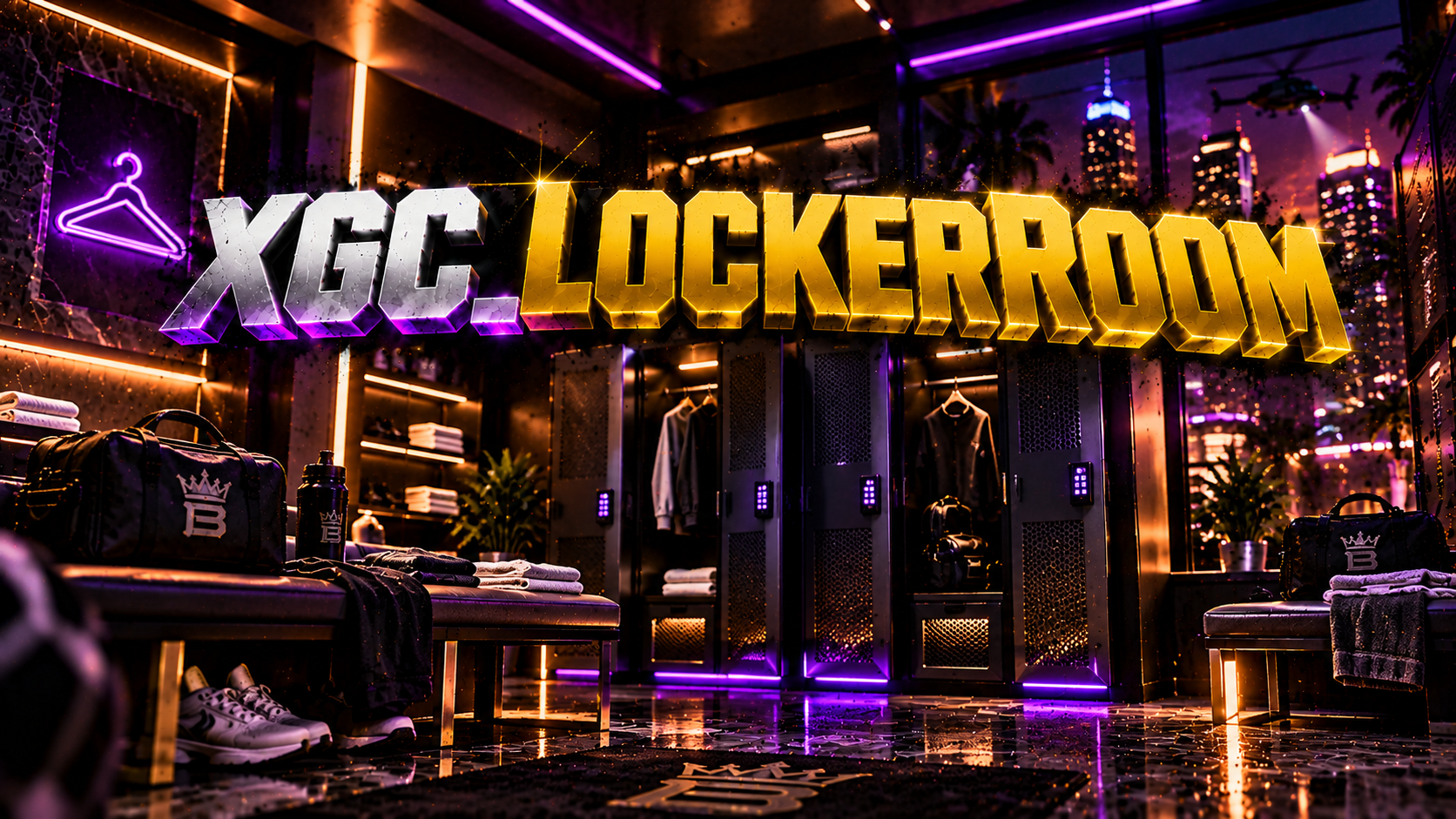
<h3>🔒 XGC Locker Room | Job Outfit System</h3>
<p><strong>Give your officers, medics, and mechanics a real locker room experience.</strong></p>
<p>XGC Locker Room is a fully configurable, per-job outfit management system built for FiveM. Officers and emergency personnel can walk up to their department's locker room, open a slick NUI panel, and equip or save their job uniforms — all powered by <strong>Illenium Appearance</strong> under the hood.</p>
<hr />
<h4>✨ Features</h4>
<ul>
<li>
<p>🏢 <strong>Per-job locker room locations</strong> — define unlimited vec3 points per job, each with their own label</p>
</li>
<li>
<p>👔 <strong>Outfit save & load</strong> — slots system lets players save named outfits and switch between them on the fly</p>
</li>
<li>
<p>🎯 <strong>Dual interaction modes</strong> — choose between <code>ox_target</code> box zones or classic marker + E key</p>
</li>
<li>
<p>🔑 <strong>Boss grade control</strong> — restrict outfit management to senior ranks, fully configurable per job</p>
</li>
<li>
<p>🎨 <strong>Clean NUI interface</strong> — polished UI with outfit slots, job branding, and smooth transitions</p>
</li>
<li>
<p>📍 <strong>Marker customization</strong> — toggle markers on/off, adjust type, size, and color</p>
</li>
<li>
<p>🗄️ <strong>Database-backed</strong> — outfits persist across sessions via oxmysql</p>
</li>
<li>
<p>⚙️ <strong>Easy config</strong> — all jobs, locations, grades, and interaction settings in one <code>config.lua</code></p>
</li>
</ul>
<hr />
<h4>📦 Dependencies</h4>
<ul>
<li>
<p><code>oxmysql</code></p>
</li>
<li>
<p><code>ox_target</code> <em>(if using target mode)</em></p>
</li>
<li>
<p><code>illenium-appearance</code> or compatible appearance resource</p>
</li>
</ul>
<hr />
<h4>🛠️ Framework Support</h4>
<ul>
<li>QBox / QBCore</li>
</ul>
<hr />
<h4>📁 Includes</h4>
<ul>
<li>
<p>Full source — client, server, NUI, SQL</p>
</li>
<li>
<p><code>install.sql</code> for easy DB setup</p>
</li>
<li>
<p>Documented <code>config.lua</code></p>
</li>
</ul>
<blockquote>
<p>[qbox] [QBCORE]</p>
</blockquote>
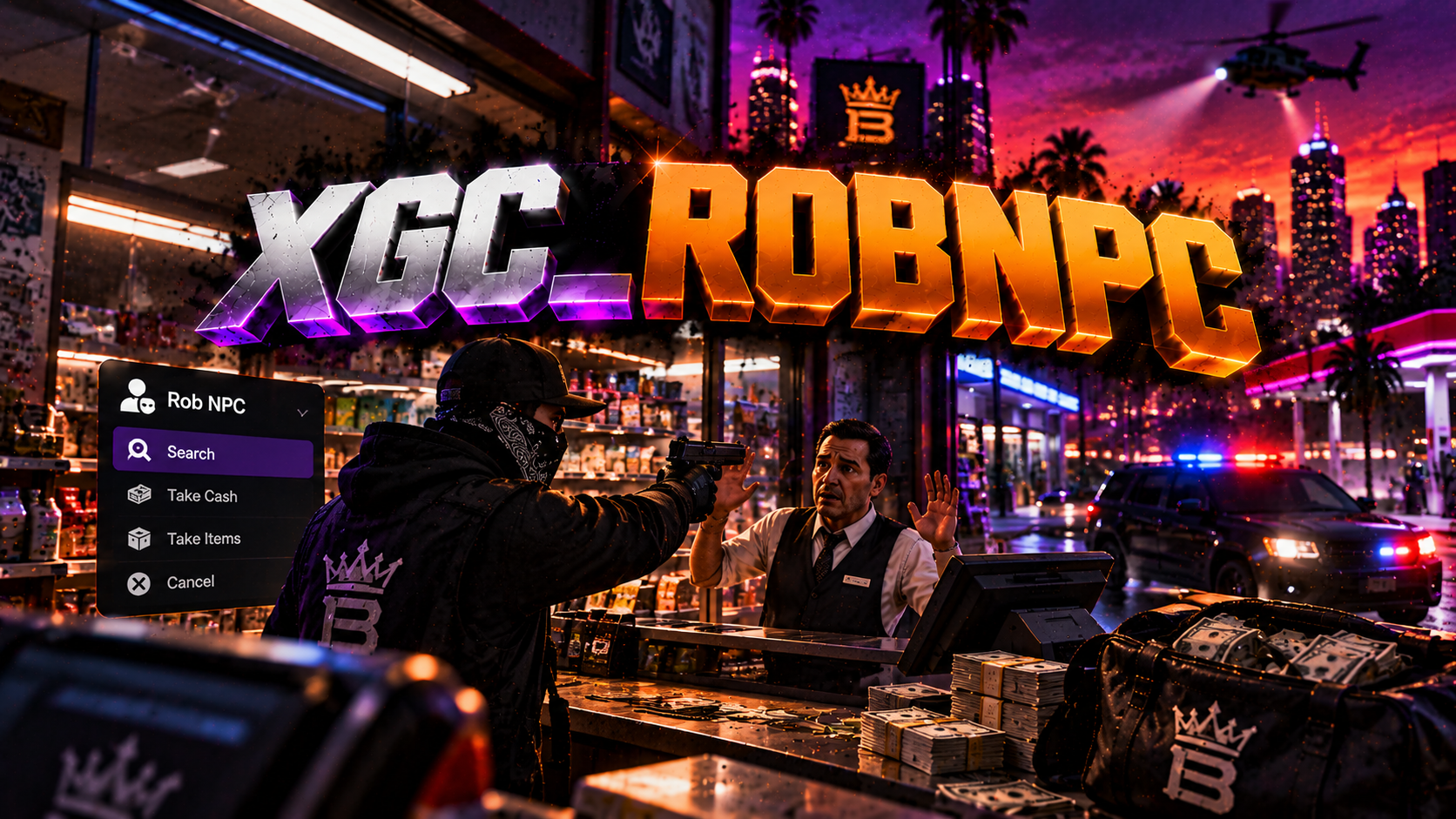
<h3>XGC_RobNPC | Advanced NPC Robbery System</h3>
<p>Bring realistic street crime to your FiveM server with <strong>XGC_RobNPC</strong>, a configurable NPC robbery system built for Qbox roleplay servers.</p>
<p><strong>🔥 Features:</strong></p>
<ul>
<li>🔫 <strong>Weapon-Based Robberies</strong> — Aim an approved weapon at an NPC and press E to initiate a robbery.</li>
<li>🙌 <strong>Realistic NPC Reactions</strong> — NPCs surrender or refuse and flee based on configurable probabilities.</li>
<li>💰 <strong>Customizable Rewards</strong> — Configure cash, black money, inventory items, payout amounts, and reward chances.</li>
<li>⏳ <strong>Robbery Progress System</strong> — Configurable robbery duration with cancellation when aim is lost or the player moves away.</li>
<li>🚨 <strong>Police Alerts</strong> — Configurable police notifications and temporary map blips.</li>
<li>👮 <strong>Police Requirements</strong> — Set the minimum number of on-duty officers required.</li>
<li>🔒 <strong>Anti-Abuse Protection</strong> — Player and NPC cooldowns, weapon validation, and server-side reward checks.</li>
<li>⚙️ <strong>Advanced Configuration</strong> — Customize allowed weapons, restricted jobs, NPC models, rewards, distances, and cooldowns.</li>
<li>📋 <strong>Server Logging</strong> — Optional robbery activity logging for administrators.</li>
<li>🚀 <strong>Lightweight Integration</strong> — Built for Qbox, ox_inventory, and ox_lib. No SQL, ox_target, or external dispatch dependency.</li>
</ul>
<p><strong>Compatibility:</strong> [Qbox] <br />
<strong>Developer:</strong> XGC Development</p>
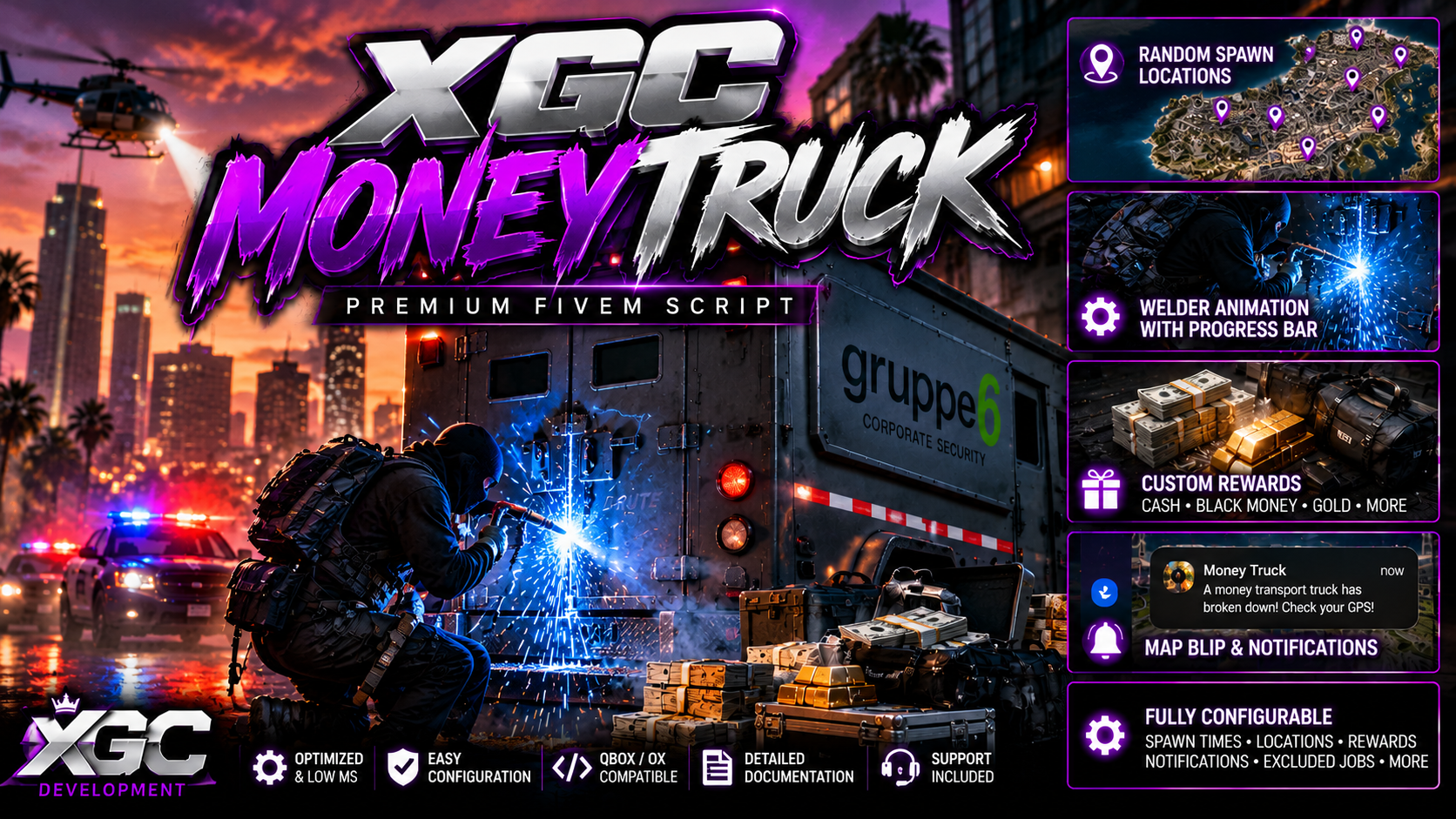
<h1>🚛 XGC_MoneyTruck | Dynamic Armored Truck Robbery</h1>
<p><strong>Bring high-risk, high-reward criminal activity to your FiveM server with XGC_MoneyTruck!</strong></p>
<p>XGC_MoneyTruck introduces dynamic armored money truck robbery events that spawn automatically at random configured locations across the map. Players must locate the disabled armored truck, deal with armed security guards, and use a realistic welding animation to break into the cargo compartment and claim valuable rewards.</p>
<p>Designed for serious economy and roleplay servers, XGC_MoneyTruck offers an exciting criminal activity with extensive configuration options.</p>
<hr />
<h2>🔥 Key Features</h2>
<p><strong>🚛 Dynamic Money Truck Events</strong></p>
<ul>
<li>
<p>Automatic armored truck spawning at configurable intervals</p>
</li>
<li>
<p>Random spawn locations across the map</p>
</li>
<li>
<p>Configurable vehicle models</p>
</li>
<li>
<p>Developer mode for instant event testing</p>
</li>
<li>
<p>Automatic event cleanup</p>
</li>
</ul>
<p><strong>📍 GPS Alerts & Notifications</strong></p>
<ul>
<li>
<p>Event notifications when a money truck spawns</p>
</li>
<li>
<p>GPS blips displaying the truck's location</p>
</li>
<li>
<p>Configurable notification messages</p>
</li>
<li>
<p>Job exclusion system to restrict event visibility</p>
</li>
</ul>
<p><strong>🔫 Armed Security Guards</strong></p>
<ul>
<li>
<p>NPC guards protecting the armored truck</p>
</li>
<li>
<p>Configurable guard count, models, and weapons</p>
</li>
<li>
<p>Hostile NPC combat behavior</p>
</li>
<li>
<p>Adjustable guard difficulty</p>
</li>
</ul>
<p><strong>🔥 Interactive Welding Robbery</strong></p>
<ul>
<li>
<p>Welding animation during the robbery process</p>
</li>
<li>
<p>ox_lib progress bar</p>
</li>
<li>
<p>Rear cargo doors open after successful completion</p>
</li>
<li>
<p>Configurable robbery duration</p>
</li>
<li>
<p>Automatic vehicle despawn delay after looting</p>
</li>
</ul>
<p><strong>💰 Customizable Rewards</strong></p>
<ul>
<li>
<p>Cash rewards</p>
</li>
<li>
<p>Dirty money through configurable inventory items</p>
</li>
<li>
<p>Gold bars and other valuable loot</p>
</li>
<li>
<p>Configurable reward quantities and probabilities</p>
</li>
<li>
<p>Multiple reward rolls</p>
</li>
<li>
<p>Optional guaranteed inventory item reward</p>
</li>
</ul>
<p><strong>⚙️ Extensive Configuration</strong></p>
<ul>
<li>
<p>Custom spawn locations</p>
</li>
<li>
<p>Adjustable automatic spawn timers</p>
</li>
<li>
<p>Separate developer and production timers</p>
</li>
<li>
<p>Custom NPC and vehicle settings</p>
</li>
<li>
<p>Job exclusions</p>
</li>
<li>
<p>Reward balancing</p>
</li>
<li>
<p>Event duration and cleanup settings</p>
</li>
</ul>
<hr />
<h2>🧩 Compatibility</h2>
<p>Component</p>
<p>Supported</p>
<p>Framework</p>
<p>Qbox / QBCore</p>
<p>Inventory</p>
<p>ox_inventory / qb-inventory</p>
<p>Target</p>
<p>ox_target / qb-target</p>
<p>Progress System</p>
<p>ox_lib</p>
<p>Platform</p>
<p>FiveM</p>
<h2>📦 Dependencies</h2>
<ul>
<li>
<p>ox_lib</p>
</li>
<li>
<p>A supported framework (Qbox or QBCore)</p>
</li>
<li>
<p>A supported inventory system</p>
</li>
<li>
<p>A supported target system</p>
</li>
<li>
<p>OneSync enabled</p>
</li>
</ul>
<h2>🛠️ Developer-Friendly</h2>
<p>XGC_MoneyTruck includes a dedicated developer mode for testing and troubleshooting. Administrators can manually spawn an event at a random configured location without waiting for the automatic event timer. </p>
<p>[qbox] / [QBCore] / Standalone</p>
<p>Configure the resource to match your server's economy, criminal activity balance, and roleplay experience.</p>
<hr />
<p><strong>🚛 Turn an ordinary drive into a high-stakes armored truck robbery!</strong></p>
<p><strong>Developed by XGC Development</strong></p>
<p><em>Note: Custom inventory reward items must exist in your server's inventory configuration. Compatibility and functionality should be verified against your server's framework and dependency versions.</em></p>
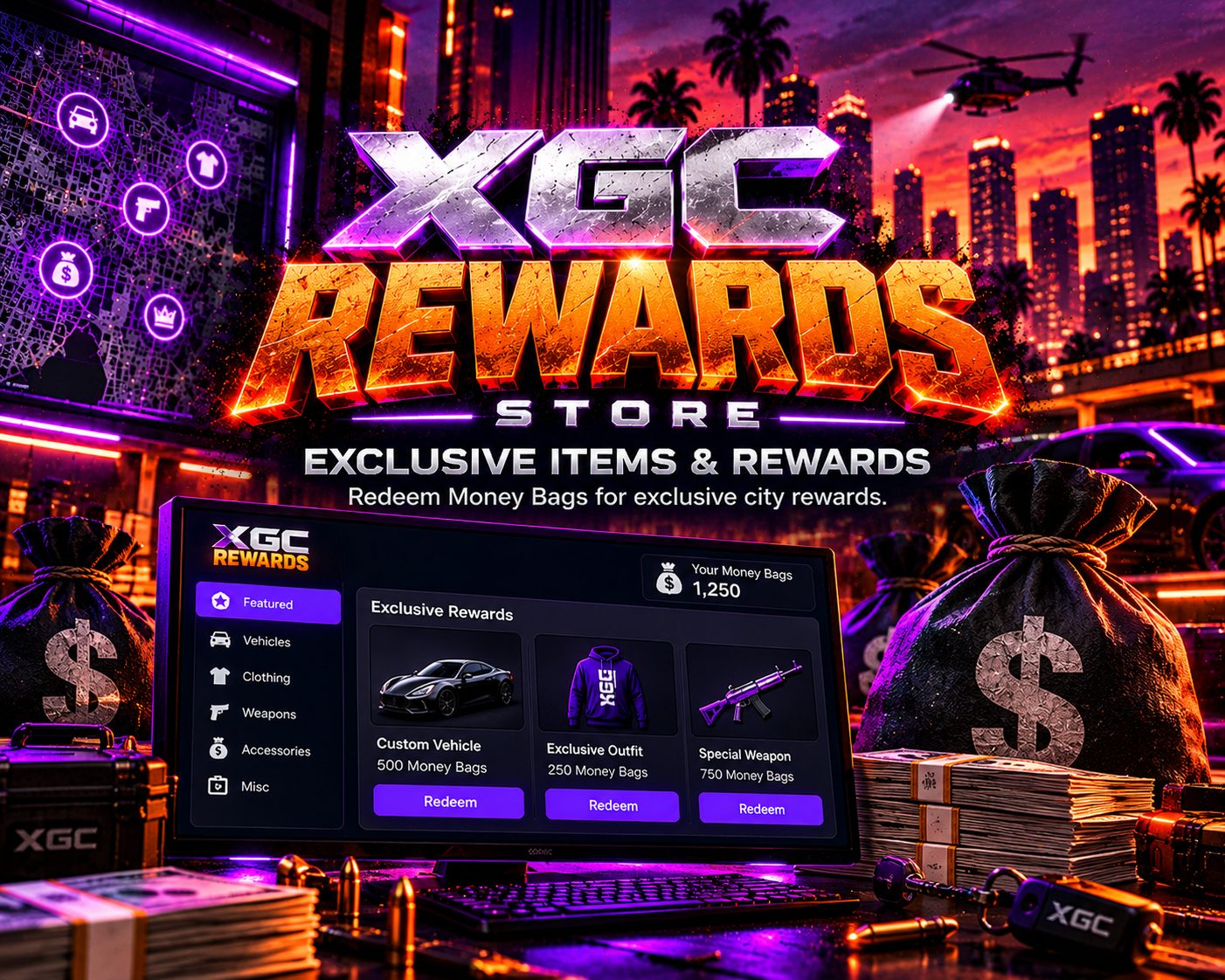
<h1>XGC Rewards Store</h1>
<p><strong>Premium FiveM Rewards System | Qbox | ox_inventory | Tebex Integration</strong></p>
<p>Give your players a premium in-game shopping experience with <strong>XGC Rewards Store</strong>, a customizable rewards system developed by XGC Development.</p>
<p>Players can redeem <strong>Money Bags</strong> for exclusive items and rewards through a modern, easy-to-use interface. Server owners can manage their rewards catalog, customize the store's branding, and connect supported Tebex purchases to their reward system.</p>
<h2>Features</h2>
<ul>
<li>
<p><strong>Modern Rewards Store UI</strong> — Clean, responsive interface for browsing and redeeming rewards.</p>
</li>
<li>
<p><strong>Money Bags Currency</strong> — Custom currency used to purchase rewards.</p>
</li>
<li>
<p><strong>In-Game Admin Panel</strong> — Manage store listings and review purchase history.</p>
</li>
<li>
<p><strong>Tebex Integration</strong> — Console commands for Money Bags, inventory items, and configured reward packages.</p>
</li>
<li>
<p><strong>Offline Delivery Support</strong> — Queue supported item and package rewards for players who are offline.</p>
</li>
<li>
<p><strong>Customizable Branding</strong> — Change your city name, logo, and theme colors.</p>
</li>
<li>
<p><strong>ACE Permissions</strong> — Control admin access through your server configuration.</p>
</li>
<li>
<p><strong>Database Support</strong> — SQL tables using the XGC naming convention.</p>
</li>
<li>
<p><strong>Asset Escrow Ready</strong> — Customer configuration and branding files remain editable.</p>
</li>
</ul>
<h2>Requirements</h2>
<ul>
<li>
<p>Qbox</p>
</li>
<li>
<p>ox_lib</p>
</li>
<li>
<p>ox_inventory</p>
</li>
<li>
<p>oxmysql</p>
</li>
<li>
<p>MySQL / MariaDB</p>
</li>
</ul>
<h2>Commands</h2>
<p><strong>Player:</strong> <code>/store</code>, <code>/baglink</code>, <code>/bagclaim</code>, <code>/storeclaim</code></p>
<p><strong>Admin:</strong> <code>/xgcstoreadmin</code>, <code>/givemb</code></p>
<p><strong>Tebex:</strong> <code>xgc_grantbags</code>, <code>xgc_grantitem</code>, <code>xgc_grantpackage</code></p>
<h2>Installation</h2>
<ol>
<li>Install the resource and import the included SQL file.</li>
<li>Configure your store name, rewards, and admin permissions.</li>
<li>Set up your Tebex packages using the included commands.</li>
<li>Start <code>XGC_Rewards</code> and open your store!</li>
</ol>
<p><strong>XGC DEVELOPMENT — Quality Scripts. Better Servers.</strong></p>
<p><em>Note: Vehicle delivery and automatic whitelist rewards are not included in the current version. Server owners are responsible for ensuring their reward offerings comply with applicable platform and monetization rules.</em></p>
<p>[qbox] / [QBCore]</p>
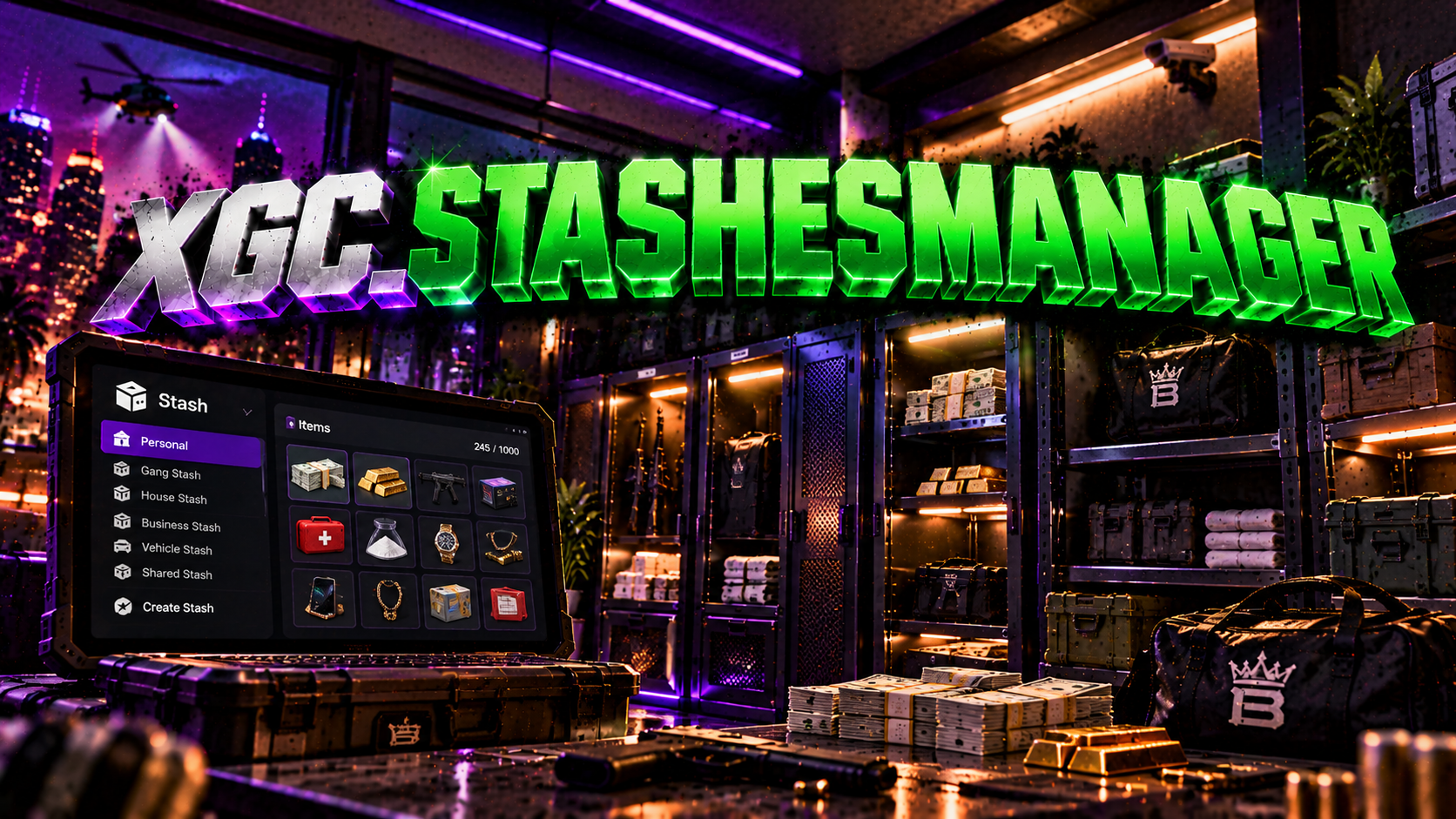
<p>XGC Stash Manager — <a href="https://xgc-development-2.gitbook.io/xgc-development-docs">Documentation</a></p><p>XGC Development</p><div>[qbox] / [QBCore] / [ESX] / Standalone</div><h1>Stash Manager</h1><p>A fully in-game admin panel to create and manage player and business stashes — with ox_inventory, qb-inventory, qs-inventory support, job locking, target system integration and more.</p><p>v1.0.0</p><p>3 Inventory Systems</p><p>ox_inventory</p><p>qb-inventory</p><p>qs-inventory</p><p>ox_target / qb-target / qtarget</p><p>Job Lock System</p><p><img src="https://dunb17ur4ymx4.cloudfront.net/wysiwyg/1640625/ed6f2ba6f53a39b91d7366190d86f9f8ecaa1177.png" style="width:680px;height:382.5px;" class="fr-fic fr-dib" width="680" height="382" alt="ed6f2ba6f53a39b91d7366190d86f9f8ecaa1177.png" /></p><p>Features</p><p>Create and manage stashes without touching any config files.</p><p>📦</p><p>In-Game Admin Panel</p><p>Create, edit and delete stashes live with a clean UI. No resource restart needed — changes take effect immediately.</p><p>👤</p><p>Player & Business Stashes</p><p>Player stashes give each player their own private inventory. Business stashes share a single inventory pool with everyone.</p><p>🎯</p><p>Target System Support</p><p>Supports ox_target, qb-target and qtarget. Auto-detected at startup. Switch between Marker, Target Only, or both — live from the UI.</p><p>💼</p><p>Job Lock</p><p>Lock any stash to one or more jobs. Optional minimum grade requirement. Players without the required job receive a notification.</p><p>🗺️</p><p>Per-Stash Blip Control</p><p>Toggle blips on or off per stash. Customise the sprite, colour and label directly from the admin panel.</p><p>🔢</p><p>Slots & Weight</p><p>Set custom slot count and max weight per stash. Works with all supported inventory systems using native capacity settings.</p><p>🚶</p><p>Walk Mode Capture</p><p>Click the capture button — the UI hides so you can walk to the exact spot. Press F to snap the location, Backspace to cancel.</p><p>💾</p><p>Persistent Storage</p><p>All stashes save to <code>data/stashes.json</code>. Stashes are re-registered with the inventory system on every resource start.</p><p>🏁</p><p>3D Markers</p><p>When using Marker mode a green cylinder draws at each stash location. Walk in and press F to open. Fully configurable in config.</p><p>Installation</p><p>Up and running in under 2 minutes.</p><p>1</p><p>Drop into your resources folder</p><p>Place the <code>xgcStashes</code> folder inside your <code>resources/</code> directory.</p><p>2</p><p>Add to server.cfg</p><p>server.cfg</p><p>ensure xgcStashes</p><p># Grant the stash.admin permission to your admin group<span> </span>add_ace group.admin stash.admin allow<span> </span>add_principal identifier.steam:YOUR_HEX group.admin</p><p>3</p><p>Configure interaction mode (optional)</p><p>Open <code>config/config.lua</code> and set <code>Config.InteractionMode</code> to your preferred mode. The resource auto-detects your inventory and target system — no override needed in most cases.</p><p>4</p><p>Open the panel in-game</p><p>Type <code>/stashes</code> in chat. The header shows your detected inventory system and target resource so you can confirm everything is working.</p><p>Inventory Support</p><p>Auto-detected in priority order: ox_inventory → qs-inventory → qb-inventory.</p><p>Auto-detected</p><p>okokNotify</p><p>Optional — native fallback</p><p>Made by XGC Development · Stash Manager · v1.0.0</p>
<h1><strong>XGCTow v1.4.0 - Professional Towing System</strong></h1>
<p><strong>The Ultimate FiveM Towing Solution by XGC Development</strong></p>
<p>[qbox] / [QBCore] / [ESX] / Standalone</p>
<p>Transform your roleplay server's towing experience with XGCTow - the most advanced, feature-rich towing script available for FiveM. Built with precision and optimized for performance, XGCTow delivers professional-grade towing mechanics that enhance realism and gameplay quality.</p>
<p><a href="https://xgc-development-2.gitbook.io/xgc-development-docs">CLICK HERE FOR DOCS</a></p>
<hr />
<h2><strong>🚛 Core Features</strong></h2>
<h3><strong>Advanced Winch System</strong></h3>
<ul>
<li>
<p>Precision rope control with adjustable length (Page Up/Down)</p>
</li>
<li>
<p>Intuitive winch commands for seamless vehicle recovery</p>
</li>
<li>
<p>Cancel functionality for quick disengagement</p>
</li>
<li>
<p>Realistic rope physics and visual feedback</p>
</li>
</ul>
<h3><strong>Smart Vehicle Attachment</strong></h3>
<ul>
<li>
<p>One-click vehicle attachment with proximity detection</p>
</li>
<li>
<p>Automatic attachment mode with configurable speed thresholds</p>
</li>
<li>
<p>3D text prompts for intuitive user interaction</p>
</li>
<li>
<p>Support for both manual and command-based operations</p>
</li>
</ul>
<h3><strong>Dynamic Ramp System</strong></h3>
<ul>
<li>
<p>Add/remove ramps on any supported trailer or flatbed</p>
</li>
<li>
<p>Customizable ramp positions per vehicle model</p>
</li>
<li>
<p>Integrated trunk-based ramp activation</p>
</li>
<li>
<p>Seamless ramp animations and positioning</p>
</li>
</ul>
<hr />
<h2><strong>⚙️ Versatile Compatibility</strong></h2>
<h3><strong>Multi-Framework Support</strong></h3>
<ul>
<li>
<p><strong>ESX</strong> - Full integration with ESX framework</p>
</li>
<li>
<p><strong>QB Core</strong> - Complete QBCore compatibility</p>
</li>
<li>
<p><strong>Standalone</strong> - Works without any framework</p>
</li>
<li>
<p>Easy configuration switching in one file</p>
</li>
</ul>
<h3><strong>Job Whitelist System</strong></h3>
<ul>
<li>
<p>Restrict towing to specific jobs (mechanic, police, etc.)</p>
</li>
<li>
<p>Framework-integrated job checking</p>
</li>
<li>
<p>Configurable whitelist for maximum control</p>
</li>
<li>
<p>Perfect for RP servers with specialized roles</p>
</li>
</ul>
<hr />
<h2><strong>🚤 Specialized Features</strong></h2>
<h3><strong>Boat Trailer Support</strong></h3>
<ul>
<li>
<p>Attach boats to trailers from extended distance (up to 20m)</p>
</li>
<li>
<p>Customizable height offsets per trailer model</p>
</li>
<li>
<p>Optimized boat positioning and stability</p>
</li>
<li>
<p>Support for multiple boat trailer types</p>
</li>
</ul>
<h3><strong>Hauler Integration</strong></h3>
<ul>
<li>
<p>Dedicated hauler commands for heavy-duty towing</p>
</li>
<li>
<p>Multiple spot attachment options</p>
</li>
<li>
<p>Professional-grade vehicle transport</p>
</li>
<li>
<p>Enhanced capacity for larger vehicles</p>
</li>
</ul>
<h3><strong>Trailer Flexibility</strong></h3>
<ul>
<li>
<p>Attach any trailer to compatible vehicles</p>
</li>
<li>
<p>Configurable tow hitch detection distance</p>
</li>
<li>
<p>Cooldown system to prevent accidental re-attachment</p>
</li>
<li>
<p>Support for both car and truck trailers</p>
</li>
</ul>
<hr />
<h2><strong>🎮 User Experience</strong></h2>
<h3><strong>Intuitive Controls</strong></h3>
<ul>
<li>
<p>Customizable keybindings for all functions</p>
</li>
<li>
<p>Chat command alternatives for every feature</p>
</li>
<li>
<p>Clear on-screen instructions and help text</p>
</li>
<li>
<p>Minimal learning curve for new players</p>
</li>
</ul>
<h3><strong>Professional Notifications</strong></h3>
<ul>
<li>
<p>Framework-integrated notification systems</p>
</li>
<li>
<p>Customizable message themes and styles</p>
</li>
<li>
<p>Real-time status updates</p>
</li>
<li>
<p>User-friendly error handling</p>
</li>
</ul>
<hr />
<h2><strong>🛠️ Configuration & Customization</strong></h2>
<h3><strong>Extensive Vehicle Support</strong></h3>
<ul>
<li>
<p><strong>80+ Pre-configured Trailers</strong> and flatbeds</p>
</li>
<li>
<p>Custom trailer/flatbed whitelist system</p>
</li>
<li>
<p>Vehicle blacklist for preventing issues</p>
</li>
<li>
<p>Per-vehicle ramp configuration options</p>
</li>
</ul>
<h3><strong>Advanced Settings</strong></h3>
<ul>
<li>
<p>Automatic attach delay configuration</p>
</li>
<li>
<p>Speed threshold adjustments</p>
</li>
<li>
<p>Distance and radius customization</p>
</li>
<li>
<p>Full control over every aspect of the script</p>
</li>
</ul>
<hr />
<h2><strong>📋 Technical Specifications</strong></h2>
<ul>
<li>
<p><strong>Version:</strong> 1.4.0</p>
</li>
<li>
<p><strong>Frameworks:</strong> ESX, QB Core, Standalone</p>
</li>
<li>
<p><strong>Dependencies:</strong> None (Standalone)</p>
</li>
<li>
<p><strong>Optimized:</strong> Yes (Minimal performance impact)</p>
</li>
<li>
<p><strong>Config:</strong> Fully configurable in one file</p>
</li>
<li>
<p><strong>Support:</strong> Regular updates and community support</p>
</li>
</ul>
<hr />
<h2><strong>🌟 What's New in v1.4.0</strong></h2>
<ul>
<li>
<p>Added hauler support for heavy-duty towing operations</p>
</li>
<li>
<p>Enhanced rope physics and winch control</p>
</li>
<li>
<p>Improved automatic attachment system</p>
</li>
<li>
<p>Additional trailer configurations</p>
</li>
<li>
<p>Performance optimizations and bug fixes</p>
</li>
</ul>
<hr />
<h2><strong>💼 Why Choose XGCTow?</strong></h2>
<p>✨ <strong>Professional Quality</strong> - Built by experienced developers who understand FiveM 🔧 <strong>Easy Installation</strong> - Drop-in setup with clear configuration 🎯 <strong>Feature-Rich</strong> - More towing options than any competing script ⚡ <strong>Optimized Performance</strong> - Minimal server and client resource usage 🔄 <strong>Regular Updates</strong> - Active development and continuous improvements 🛡️ <strong>Reliable Support</strong> - Dedicated assistance from XGC Development</p>
<hr />
<h2><strong>📦 What's Included</strong></h2>
<ul>
<li>
<p>Complete client and server scripts</p>
</li>
<li>
<p>Comprehensive configuration file</p>
</li>
<li>
<p>Pre-configured vehicle lists</p>
</li>
<li>
<p>Documentation and setup guide</p>
</li>
<li>
<p>Professional product images</p>
</li>
</ul>
<hr />
<h2><strong>🔧 Installation</strong></h2>
<ol>
<li>Download the script</li>
<li>Extract to your server's <code>resources</code> folder</li>
<li>Add <code>ensure XGCTow</code> to your <code>server.cfg</code>
</li>
<li>Configure settings in <code>config.lua</code>
</li>
<li>Restart your server</li>
<li>Enjoy professional towing operations!</li>
</ol>
<hr />
<p><strong>Support:</strong></p>

<h1>🚀 XGC Development - Connection Queue System</h1>
<p><strong>The ultimate solution for managing player connections and ensuring a fair, prioritized entry to your FiveM server.</strong></p>
<p>[qbox] / [QBCore] / [ESX] / [standalone]</p>
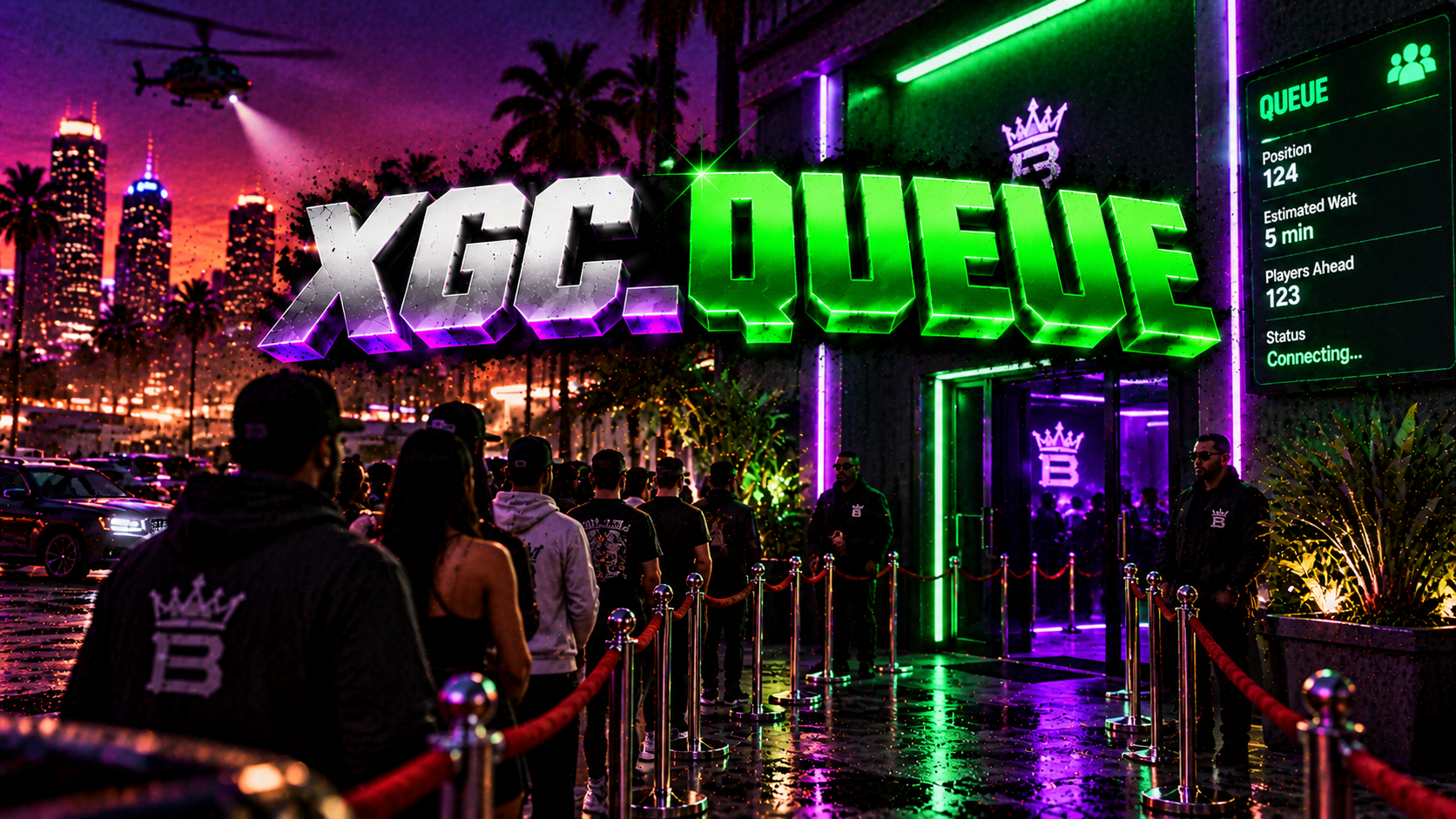
<p>Stop losing potential players to full servers and chaotic connection attempts. The <strong>XGC Connection Queue</strong> is a professional, high-performance script designed to provide a seamless, branded waiting experience while giving priority access to your most valued community members.</p>
<p><a href="https://xgc-development-2.gitbook.io/xgc-development-docs">CLICK HERE FOR DOCS</a></p>
<h3>💎 Key Features</h3>
<p>Feature</p>
<p>Description</p>
<p>Benefit for Your Server</p>
<p><strong>Framework Agnostic</strong></p>
<p>Works flawlessly with <strong>QBCore</strong>, <strong>ESX</strong>, and <strong>Standalone</strong> servers.</p>
<p>Maximum compatibility and future-proofing.</p>
<p><strong>Advanced Priority System</strong></p>
<p>Assign priority access to <strong>Admins</strong>, <strong>VIPs</strong>, <strong>Moderators</strong>, and <strong>Supporters</strong>.</p>
<p>Reward loyal players and ensure staff can connect instantly.</p>
<p><strong>Branded Console & UI</strong></p>
<p>Features XGC branding in console prints and a clean, in-game queue UI.</p>
<p>Maintains a professional, consistent brand image.</p>
<p><strong>Real-Time Management</strong></p>
<p>Admin commands (<code>queuestatus</code>, <code>queueskip</code>, <code>queueremove</code> ) for total control.</p>
<p>Full control over your server's connection flow.</p>
<p><strong>High Performance</strong></p>
<p>Optimized for minimal resource usage (0.00ms idle).</p>
<p>Smooth, lag-free experience for all players.</p>
<p>🛠️ Technical Specifications</p>
<ul>
<li>
<p><strong>Frameworks Supported:</strong> QBCore, ESX, Standalone</p>
</li>
<li>
<p><strong>Dependencies:</strong> None (Standalone)</p>
</li>
<li>
<p><strong>Protection:</strong> Keymaster Escrow Protected</p>
</li>
</ul>
<p>🔒 Purchase Includes</p>
<ul>
<li>
<p><strong>XGC Connection Queue Script</strong> (<code>xgc-queue</code>)</p>
</li>
<li>
<p><strong>Comprehensive</strong> <strong><code>config.lua</code></strong></p>
</li>
<li>
<p><strong>Detailed Installation Guide</strong></p>
</li>
<li>
<p><strong>Lifetime Updates & Support</strong></p>
</li>
</ul>
<p><strong>Stop settling for basic queue systems. Upgrade to the XGC Connection Queue and give your players the professional experience they deserve.</strong></p>
XGC Queue
ESX
QBCore
QBOX
Standalone


